Copy Mail message properties to clipboard
Have you ever need to copy specific sections of emails, but could not waste time going through each and every one?
Top Recommended Alternative

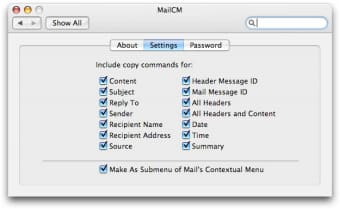
MailCM is a preference and contextual menu item to quickly find and copy to clipboard specific properties of an email.
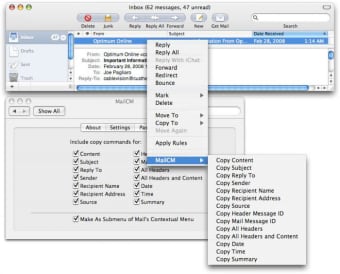
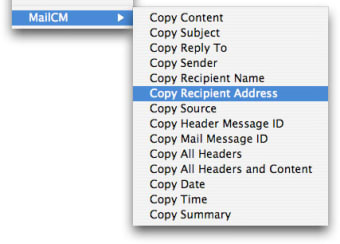
It works in Apple Mail and can recover elements like the header message, source, reply to or recipient address. To use it all you have to do is select the emails you need to retrieve, right click, select MailCM from the dropdown menu, then the property you wish to copy.
MailCM was a little difficult to install. We had to copy the plugin to the Contextual Menu folder in Library and restart Apple Mail to get it to appear.
However once setup, it proved to be very handy and certainly saved lots of time when looking for properties in many emails.
Although a little difficult to install, MailCM is a good Apple Mail contextual menu item which copies message properties in one go.Changes
Expired trial versions of the software automatically renew when restarted so that you can continue the demo if a new version is released. (Just relaunch the menu bar item to apply the update.) Improved menu updates in the menu bar item.